

首先,我们先排除Samba服务器的配置错误后,进行如下操作: 1、WIN+R,在运行中输入secpol.msc, 打开本地安全策略。 2、然后依次打开,安全设置->本地策略->安全选项 3、右侧策略中找到【网络安全:LAN管理器身份验证级别】 打开,选项选择【仅发送NTLMv2响应
2021-04-26
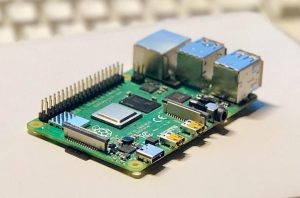
№ 1 修改硬件配置 # interfaces(5) file used by ifup(8) and ifdown(8) # Please note that this file is written to be used with dhcpcd # For static IP, con
2020-01-19
#使用镜像 2019-09-26-raspbian-buster-lite.img #系统信息 sudo uname -a #Linux raspberrypi 4.19.75-v7+ #1270 SMP Tue Sep 24 18:45:11 BST 2019 armv7l GNU/Lin
2020-01-17
2019-09-26-raspbian-buster-lite.img 墨水屏采用的是微雪电子的2.13inch e-Paper HAT型号,是带板黑白版的,支持局部刷新(如下图所示) 硬件连接 树莓派连接引脚对应关系 e-Paper Raspberry Pi BCM
2020-01-17

最近一次因为树莓派非正常关机引起系统错误 [root@MiWiFi-R1CM-srv ~]# systemctl status httpd ● httpd.service - The Apache HTTP Server Loaded: loaded (/usr/lib/systemd/sys
2019-11-06

点击菜单“设置”☛“首选项”,在“Preferences.sublime-settings-user”中加入如下代码。 // Display file encoding in the status bar "show_encoding": true, // Display line endings
2019-10-12
1、使用FTP登陆服务器,找到Crayon Syntax Highlighter插件位置"wp–content/plugins/crayon–syntax–highlighter/" 找到语言文件目录:trans 下载中文文件: crayon-syntax-highlighter-zh_CN.mo
2019-10-12
 标签归档